A Good Read
Seedance 2.0 Prompting Guide 2026: Free LLM-Ready Download.
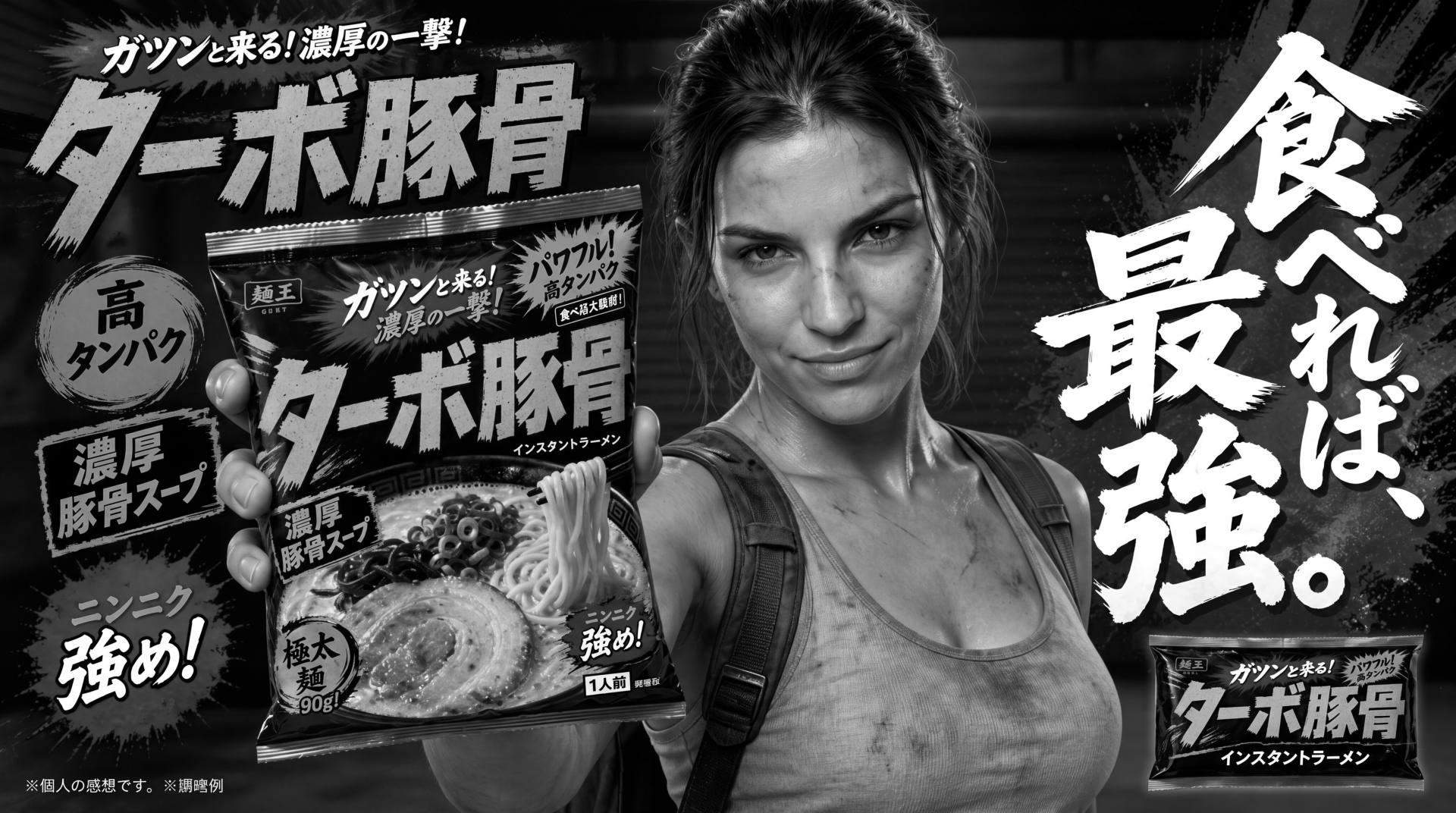
Seedance 2.0 Prompting Guide 2026: Free LLM-Ready Download
Seedance 2.0 Prompting Guide 2026: Free LLM-Ready Download
I’ve been spending a lot of time experimenting with Seedance 2.0, especially for cinematic AI video, spec ads, product commercials, action scenes, and fake brand spots.
The first test I’m posting here is:
Turbo Tonkotsu Ramen | Cinematic AI Spec Ad
This started as a fake Japanese-style ramen commercial, but really it was a stress test for Seedance 2.0. I wanted to see how far it could go with action, pacing, product reveal structure, camera movement, and cinematic continuity.
There are definitely inconsistencies and weird AI discrepancies in the clip. It is far from perfect. But compared to where AI video was even six months ago, the difference is night and day.
I’ll be adding more Seedance 2.0 experiments to this post over the next couple of weeks, so if you’re interested in AI spec ads, cinematic prompting, Higgsfield workflows, or AI video production in general, check back here. This will become a running collection of tests, notes, and examples.
Free Seedance 2.0 Prompting Guide for Your LLM
While making these videos, I also put together a free Seedance 2.0 prompting guide designed to be uploaded into your LLM project files.
The idea is simple:
You upload the guide into ChatGPT, Claude, Gemini, or whatever LLM you use. Then instead of trying to write a perfect Seedance prompt from scratch, you talk through your idea naturally.
For example, you might say:
“I want a cinematic product ad where a character runs through a rainy Tokyo alley, then the camera reveals a ramen cup at the end.”
Your LLM can then use the guide to help turn that rough idea into a more structured Seedance 2.0 prompt with camera movement, lighting, action, timing, references, and negative prompts included.
The goal is to save time, reduce trial and error, and hopefully save credits.
How the Guide Helps
Seedance 2.0 is powerful, but it works better when the prompt is structured clearly. A vague prompt like “make a cool cinematic ramen ad” leaves too much for the model to guess.
A stronger prompt gives Seedance more direction. It tells the model what the subject is, what happens, where the scene takes place, how the camera moves, what the lighting feels like, what visual style you want, and what problems to avoid.
That is where the guide comes in.
It helps your LLM think more like a director, not just a prompt writer.
Prompting With No Images
If you are doing text-to-video, you need to describe the whole scene clearly.
That means your prompt should include the subject, action, environment, camera movement, style, lighting, duration, and constraints.
This is best when you are starting from scratch and want Seedance to invent the scene based on your direction.
For example, text-to-video works well for:
- AI spec ads
- Product commercials
- Action shots
- Stylized cinematic scenes
- Fake brand commercials
- Mood tests
- Short film concepts
The downside is that you have less visual control, because Seedance has to create everything from your words.
Prompting With Images
If you are using images, the process changes.
You do not need to redescribe everything in the image. Instead, you should tell Seedance what to do with the image.
For example:
- Use this image as the first frame.
- Use this image as the last frame.
- Use this image as a character reference.
- Use this image as the environment reference.
- Use this image as the product reference.
This is important because image prompting gives you more control over the look of the final video. If you already have a character, product, scene, or key frame, you can use that as an anchor.
That said, you still need to understand what role each image is playing. If you upload a product image, a character sheet, and a background, your LLM needs to know which one is which.
The guide is built to help with that.
Prompting With Video References
Seedance 2.0 can also use video references, but you need to be specific.
- Are you using the video as a camera movement reference?
- Are you using it as a motion reference?
- Are you trying to edit the video directly?
- Are you trying to extend it?
- Are you trying to copy the rhythm or pacing?
Those are very different instructions.
One of the biggest mistakes is uploading a video and just saying “use this as a reference.” That is too vague. The model needs to know what to extract from the reference.
The guide helps your LLM ask the right questions and turn that into a cleaner prompt.
Why This Matters for AI Spec Ads
AI spec ads are one of the most interesting use cases for tools like Seedance 2.0 and Higgsfield right now.
You can test product concepts, fake commercials, cinematic reveals, UGC-style spots, product demos, and short brand films without a full production crew.
But the results still depend heavily on prompting, iteration, and direction.
The better your prompt structure, the better your odds of getting something usable.
This does not mean every generation will work. It will not. There will still be artifacts, broken motion, identity drift, strange edits, and random weirdness. But with better prompting, you can get to stronger results faster.
Download the Free Guide
I made this Seedance 2.0 prompting guide so creators can upload it into their LLM and use it as a practical prompt assistant.
Download it, add it to your project files, then describe the video you want to make. Your LLM can use the guide to help build better Seedance 2.0 prompts for cinematic scenes, AI spec ads, product commercials, action shots, image-to-video tests, and longer chained video experiments.
Download the free Seedance 2.0 prompting guide for your LLM here.
I’ll keep adding more experiments to this post as I test Seedance 2.0 further.